
Essential Guide to Repair MacBook NAND Chips
Are you having trouble with your MacBook? Is it running slower than usual or frequently crashing? The culprit could be a corrupted NAND chip. If this technical term is sounding foreign to you, don't worry. In this comprehensive guide, we will explain what NAND chips are, how they work and most importantly – how to repair them on your own! No need for expensive repairs or waiting in long queues at the Apple store. Whether you're a tech-savvy individual or new to repairing laptops, this guide will provide step-by-step instructions and tips to successfully repair your MacBook's NAND chip and get it functioning like new again. So let's dive into the world of electronic components and learn how to troubleshoot one of the most common issues faced by MacBook users – malfunctioning NAND chips.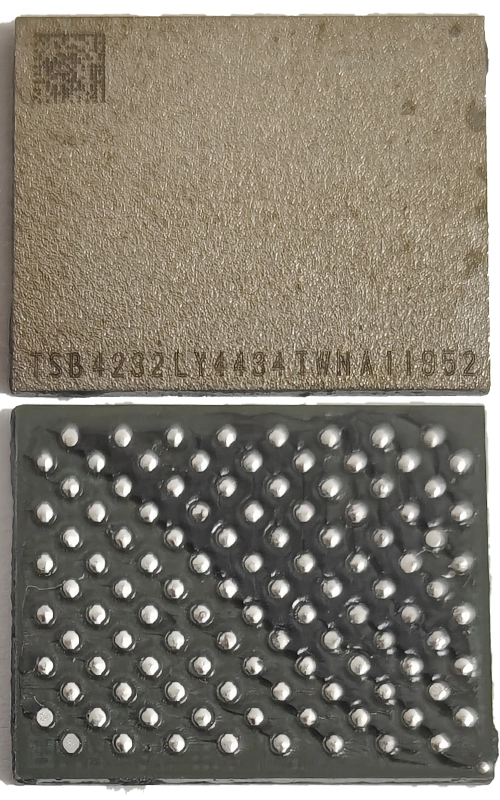
1.Understanding NAND Chips: The Heart of Your MacBook's Storage
Have you ever wondered what makes your MacBook's storage tick? Look no further than the NAND chip. This little piece of hardware is responsible for storing all of your precious files and data. But what exactly is a NAND chip? Simply put, it's a type of flash memory that operates on the principle of storing electrons. By controlling the flow of electrons through a series of transistors, the NAND chip can store and retrieve data quickly and efficiently. So the next time you open up your MacBook and start working away, remember the little heart of your storage that's making it all possible.
2.How Repair NAND Chips Affect Your MacBook's Performance and Storage
If you're a MacBook owner, you understand that your device is much more than just a computer. It's your go-to source for work, entertainment, and everything in between. However, when your MacBook starts to slow down or give you storage issues, it can quickly put a wrench in your daily routine. This is where repairing NAND chips can make all the difference. These small chips are responsible for storing your device's important data, and if they aren't functioning properly, it can take a major toll on your MacBook's performance and storage capabilities. By repairing these essential chips, you can breathe new life into your device and ensure that it's running at its optimal level.
3.Upgrading Your MacBook's NAND Chip: What You Need to Know
Are you tired of slow performance and limited storage space on your MacBook? Upgrading your NAND chip may be the solution you've been looking for. This tiny chip is responsible for storing your data and running your programs, so replacing it with a faster and more spacious option can drastically improve your computer's performance. Before diving in, it's important to understand the process and potential risks involved. You'll need to find a reputable source for the new chip, and be comfortable with opening up your laptop and making the swap yourself or with the help of a professional. But with the right precautions and a bit of tech know-how, upgrading your MacBook's NAND chip can be a game-changer for your productivity and enjoyment.
In conclusion, NAND chips truly are the heart of your MacBook's storage and play a crucial role in its overall performance. As we've learned, these small but powerful components are responsible for storing all of our precious data and allowing us to access it at lightning-fast speeds. However, as with any technology, there can be issues that arise with NAND chips over time, affecting their performance and ultimately impacting the functionality of our beloved MacBooks. But thanks to advancements in repair techniques and the option to upgrade your MacBook's NAND chip, we no longer have to live with subpar storage or slow speeds. With proper care and maintenance, our MacBooks can continue to serve us for years to come. So whether you're experiencing issues with your current NAND chip or looking to upgrade for better performance, understanding the ins and outs of these tiny yet mighty chips is key. So here’s to happy computing – powered by our trusty NAND chips!


